Skip to main navigation Skip to main content Skip to page footer

Double-OptIn-Download Form Plugin

In order to display the download request form on your website, proceed as follows:

  1. Create a plugin of the type Double-OptIn-Download - Form at the desired position on your website
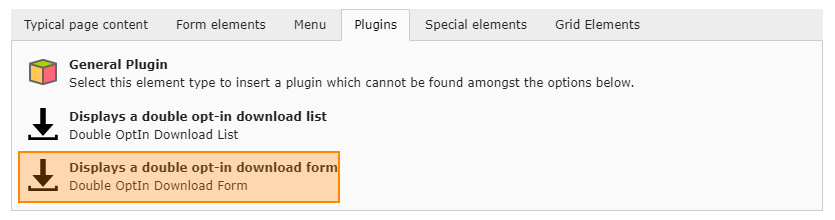
    Plug-In: Form

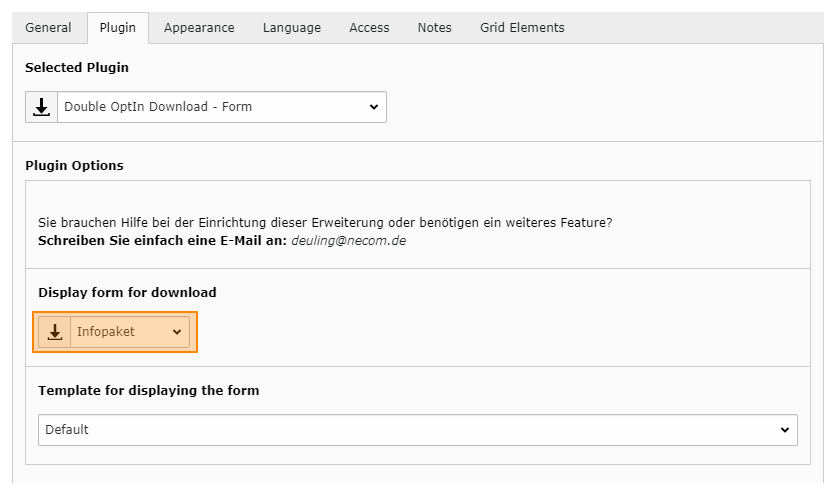
  2. Switch to the Plug-In tab

  3. Select the desired download data record in the Display form for download dropdown box.

  4. Save and close the plugin.

    Plug-In: Form Konfiguration

Documentation

TYPO3 Double Optin Download

The Double-Optin-Download extension allows you to setup your downloads so that visitors fill out an inquiry form and then get a download link via email. They can download the files using the link exactly once.

Menu