

Installation and setup
-
Switch to the extension manager and install the TYPO3 Double-OptIn Download extension in the usual way.
-
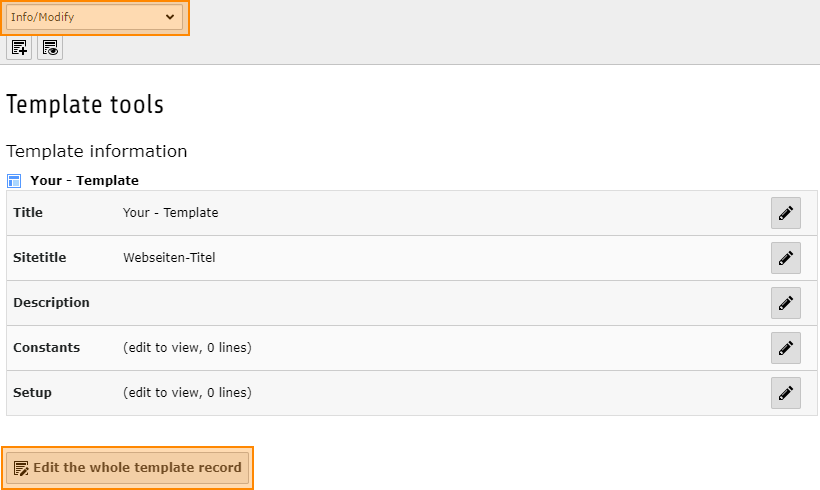
To configure TypoScript, open the Template module and switch to the page where your root template is located. Switch to the Info/Bearbeiten (Info / Edit) view and then click Vollständigen Template-Datensatz bearbeiten (Edit complete template record).
-
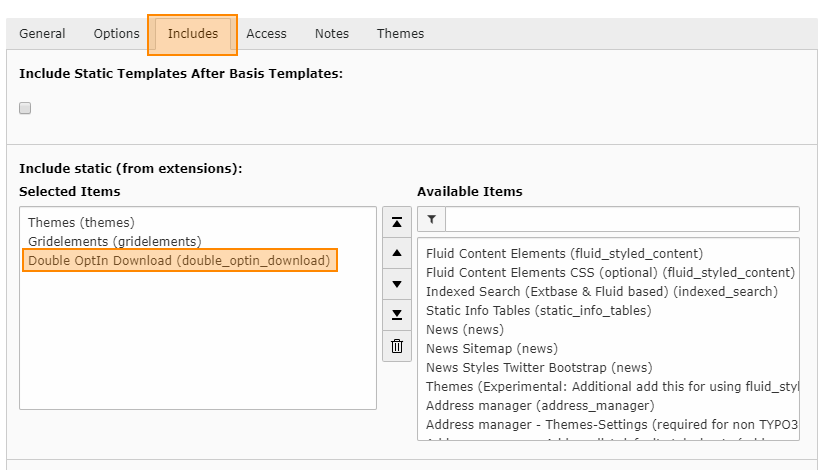
In this record, switch to the Enthält (contains) tab and in the Statische Templates einschließen (aus Erweiterung) (include static templates (from extension)) section select the entry Double-OptIn-Download (double_optin_download).
-
Save and close the record.